728x90
반응형
package mail;

import java.util.Properties;

import javax.mail.Address;
import javax.mail.Authenticator;
import javax.mail.Message;
import javax.mail.PasswordAuthentication;
import javax.mail.Session;
import javax.mail.Transport;
import javax.mail.internet.InternetAddress;
import javax.mail.internet.MimeMessage;

public class GmailSend {

	private static class SMTPAuthenticator extends Authenticator {
		public PasswordAuthentication getPasswordAuthentication() {
			//지메일 아이디 , 비밀번호
			return new PasswordAuthentication("본인이메일", "비밀번호");
		}
	}

	public static void send(String title, String content, String toEmail) {
		Properties p = new Properties();
		p.put("mail.smtp.user", "본인이메일"); //본인 지메일
		p.put("mail.smtp.host", "smtp.gmail.com");
		p.put("mail.smtp.port", "465");
		p.put("mail.smtp.starttls.enable", "true");
		p.put("mail.smtp.auth", "true");
		p.put("mail.smtp.debug", "true");
		p.put("mail.smtp.socketFactory.port", "465");
		p.put("mail.smtp.socketFactory.class", "javax.net.ssl.SSLSocketFactory");
		p.put("mail.smtp.socketFactory.fallback", "false");
		try {
			Authenticator auth = new SMTPAuthenticator();
			Session session = Session.getInstance(p, auth);
			session.setDebug(true);
			MimeMessage msg = new MimeMessage(session);
			String message = content;
			msg.setSubject(title);
			//InternetAddress(메일주소, 보내는사람 이름, 문자셋)
			Address fromAddr = new InternetAddress("본인이메일");
			msg.setFrom(fromAddr);
			Address toAddr = new InternetAddress(toEmail);
			msg.addRecipient(Message.RecipientType.TO, toAddr);
			msg.setContent(message, "text/html;charset=KSC5601");
			Transport.send(msg);

		} catch (Exception e) {
			e.printStackTrace();
		}
	}

	public static void main(String[] args) {
		String title = "제목";
		String content = "보낼내용 HTML코드도 먹힌다";
		String toEamil = "받는사람이메일";
		send(title, content, toEamil);
		System.out.println("성공ㅋ");
	}
}
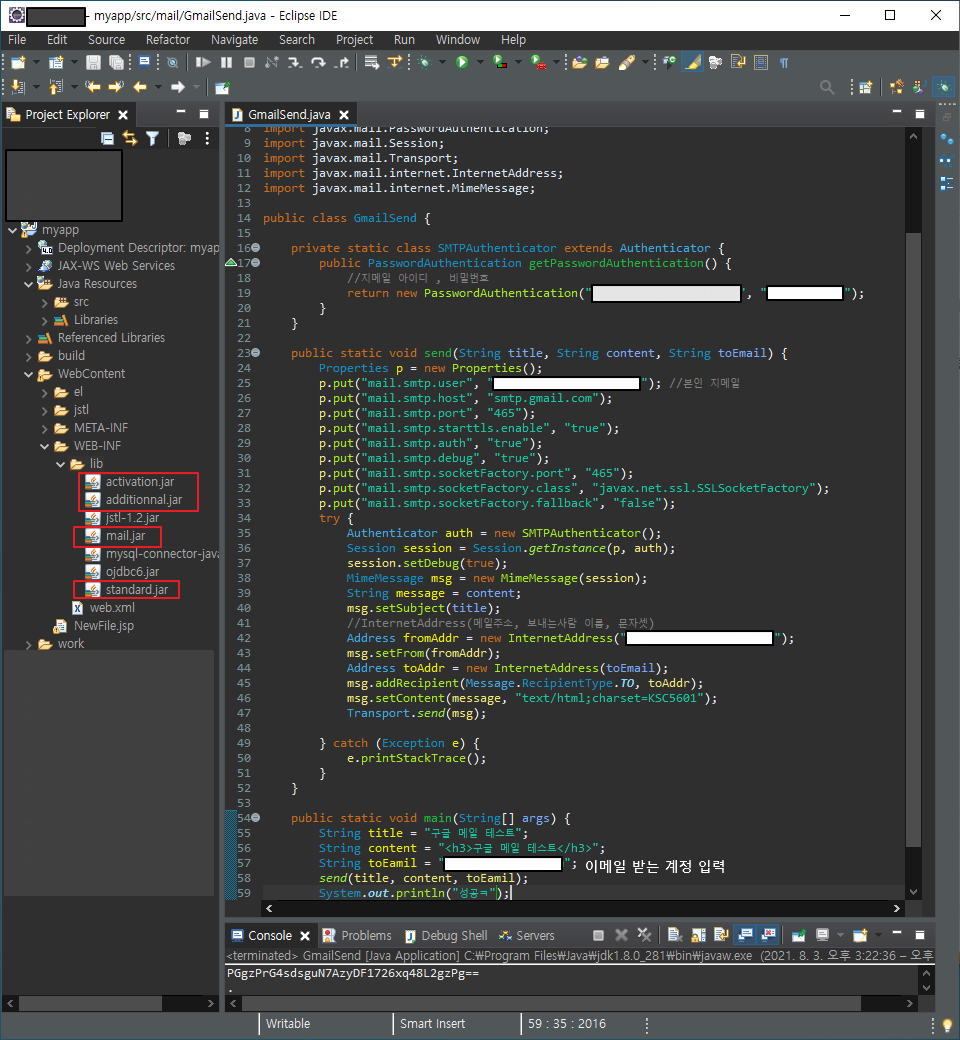
activation.jar
0.05MB
additionnal.jar
0.04MB
mail.jar
0.50MB
standard.jar
0.38MB
https://blog.naver.com/simba222/221037818596
java google email 보내기
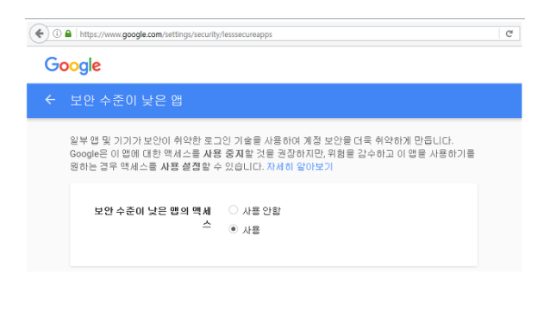
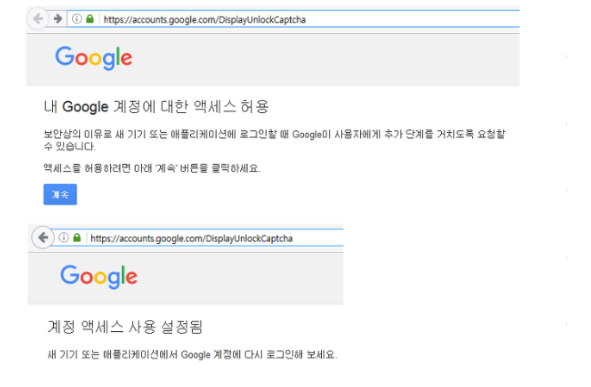
먼저 Google 계정에서 세팅이 필요하다. 1) 보안 수준이 낮은 앱의 액세스 사용 https://www.google.com/s...
blog.naver.com
728x90
반응형
'Spring > JSTL' 카테고리의 다른 글
| JSP에서 현재 경로 및 contentPath 가져오기 (1) | 2021.12.21 |
|---|---|
| JSLT 비교연산 (0) | 2021.11.19 |
| JSTL SessionScope (0) | 2021.08.04 |
| JSTL fmtTags (0) | 2021.07.27 |
| JSLT coreTags (0) | 2021.07.26 |
| JSTL EL (0) | 2021.07.26 |