728x90
반응형
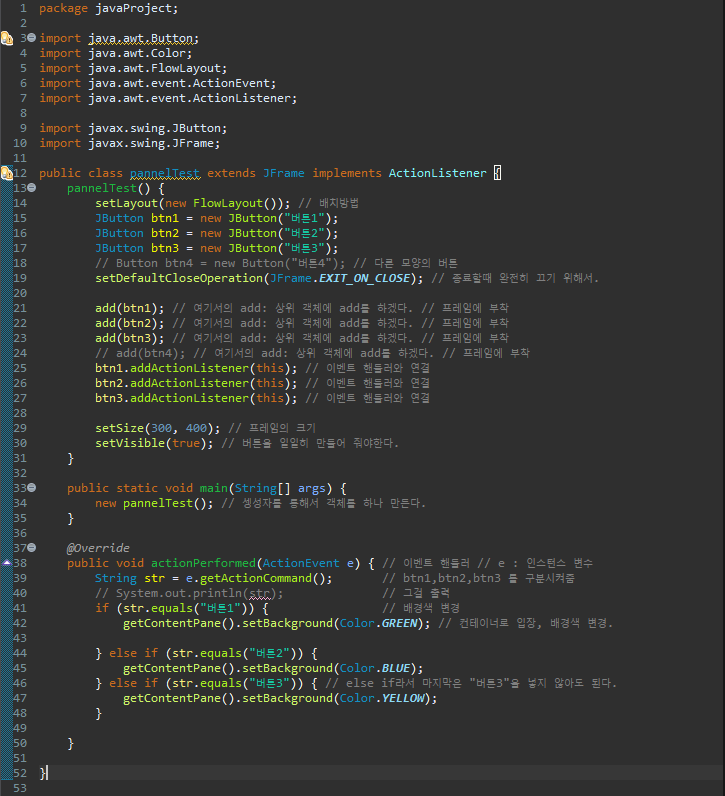
package javaProject;

import java.awt.Button;
import java.awt.Color;
import java.awt.FlowLayout;
import java.awt.event.ActionEvent;
import java.awt.event.ActionListener;

import javax.swing.JButton;
import javax.swing.JFrame;

public class pannelTest extends JFrame implements ActionListener {
	pannelTest() {
		setLayout(new FlowLayout()); // 배치방법
		JButton btn1 = new JButton("버튼1");
		JButton btn2 = new JButton("버튼2");
		JButton btn3 = new JButton("버튼3");
		// Button btn4 = new Button("버튼4"); // 다른 모양의 버튼
		setDefaultCloseOperation(JFrame.EXIT_ON_CLOSE); // 종료할때 완전히 끄기 위해서.

		add(btn1); // 여기서의 add: 상위 객체에 add를 하겠다. // 프레임에 부착
		add(btn2); // 여기서의 add: 상위 객체에 add를 하겠다. // 프레임에 부착
		add(btn3); // 여기서의 add: 상위 객체에 add를 하겠다. // 프레임에 부착
		// add(btn4); // 여기서의 add: 상위 객체에 add를 하겠다. // 프레임에 부착
		btn1.addActionListener(this); // 이벤트 핸들러와 연결
		btn2.addActionListener(this); // 이벤트 핸들러와 연결
		btn3.addActionListener(this); // 이벤트 핸들러와 연결

		setSize(300, 400); // 프레임의 크기
		setVisible(true); // 버튼을 일일히 만들어 줘야한다.
	}

	public static void main(String[] args) {
		new pannelTest(); // 셍성자를 통해서 객체를 하나 만든다.
	}

	@Override
	public void actionPerformed(ActionEvent e) { // 이벤트 핸들러 // e : 인스턴스 변수
		String str = e.getActionCommand(); 		 // btn1,btn2,btn3 를 구분시켜줌
		// System.out.println(str); 			 // 그걸 출력
		if (str.equals("버튼1")) { 				 // 배경색 변경
			getContentPane().setBackground(Color.GREEN); // 컨테이너로 입장, 배경색 변경.

		} else if (str.equals("버튼2")) {
			getContentPane().setBackground(Color.BLUE);
		} else if (str.equals("버튼3")) { // else if라서 마지막은 "버튼3"을 넣지 않아도 된다.
			getContentPane().setBackground(Color.YELLOW);
		}

	}

}
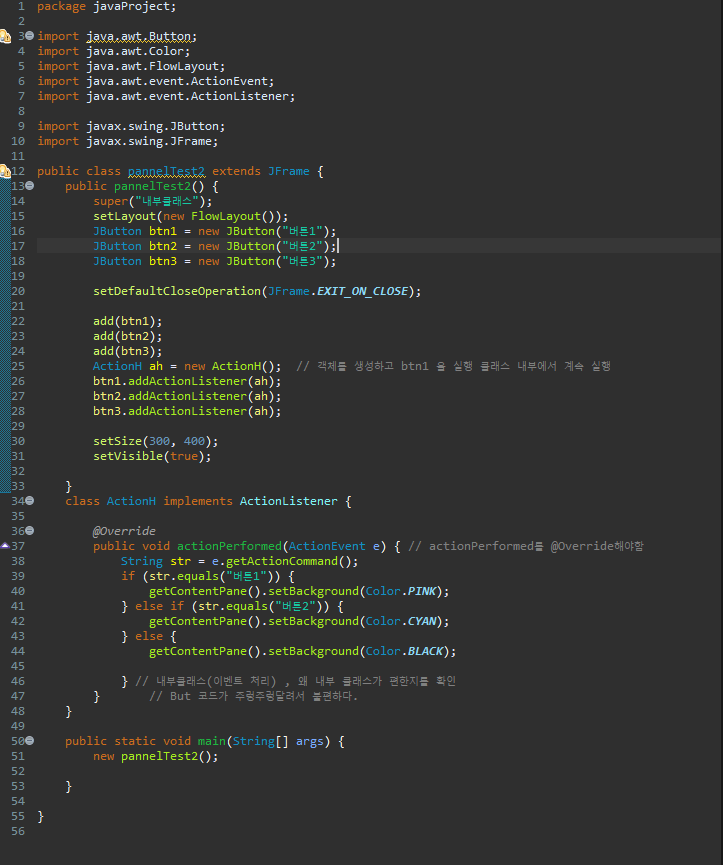
package javaProject;

import java.awt.Button;
import java.awt.Color;
import java.awt.FlowLayout;
import java.awt.event.ActionEvent;
import java.awt.event.ActionListener;

import javax.swing.JButton;
import javax.swing.JFrame;

public class pannelTest2 extends JFrame {
	public pannelTest2() {
		super("내부클래스");
		setLayout(new FlowLayout());
		JButton btn1 = new JButton("버튼1");
		JButton btn2 = new JButton("버튼2");
		JButton btn3 = new JButton("버튼3");

		setDefaultCloseOperation(JFrame.EXIT_ON_CLOSE);

		add(btn1);
		add(btn2);
		add(btn3);
		ActionH ah = new ActionH();  // 객체를 생성하고 btn1 을 실행 클래스 내부에서 계속 실행
		btn1.addActionListener(ah);
		btn2.addActionListener(ah);
		btn3.addActionListener(ah);

		setSize(300, 400);
		setVisible(true);

	}
	class ActionH implements ActionListener {

		@Override
		public void actionPerformed(ActionEvent e) { // actionPerformed를 @Override해야함
			String str = e.getActionCommand();
			if (str.equals("버튼1")) {
				getContentPane().setBackground(Color.PINK);
			} else if (str.equals("버튼2")) {
				getContentPane().setBackground(Color.CYAN);
			} else {
				getContentPane().setBackground(Color.BLACK);

			} // 내부클래스(이벤트 처리) , 왜 내부 클래스가 편한지를 확인
		}		// But 코드가 주렁주렁달려서 불편하다.
	}

	public static void main(String[] args) {
		new pannelTest2();

	}

}
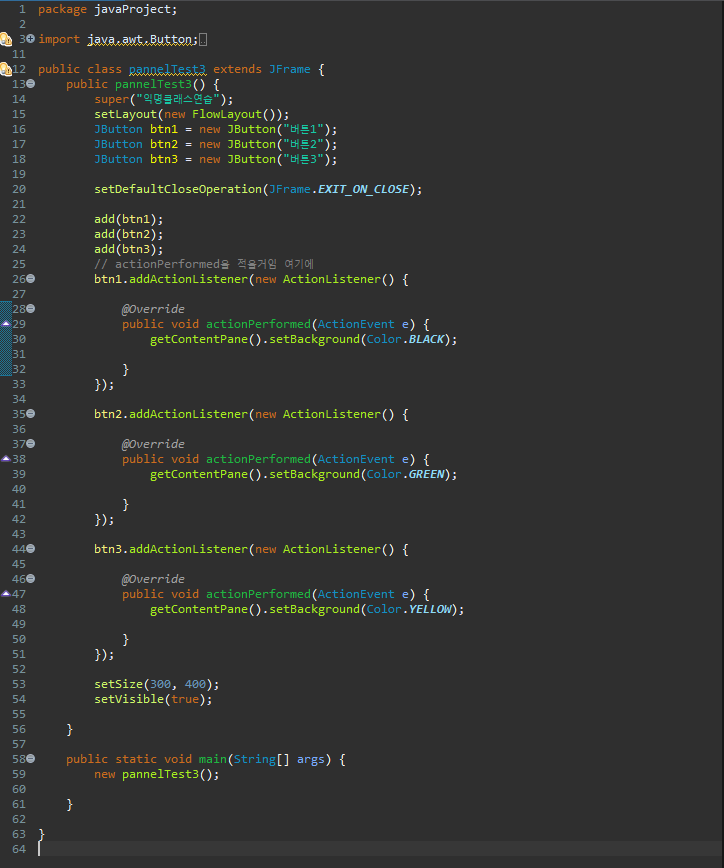
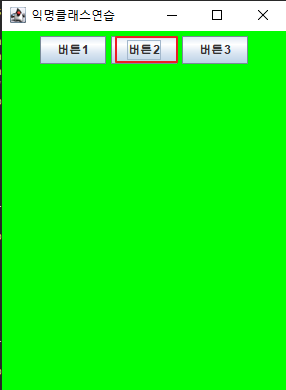
package javaProject;

import java.awt.Button;
import java.awt.Color;
import java.awt.FlowLayout;
import java.awt.event.ActionEvent;
import java.awt.event.ActionListener;

import javax.swing.JButton;
import javax.swing.JFrame;

public class pannelTest3 extends JFrame {
	public pannelTest3() {
		super("익명클래스연습");
		setLayout(new FlowLayout());
		JButton btn1 = new JButton("버튼1");
		JButton btn2 = new JButton("버튼2");
		JButton btn3 = new JButton("버튼3");

		setDefaultCloseOperation(JFrame.EXIT_ON_CLOSE);

		add(btn1);
		add(btn2);
		add(btn3);
		// actionPerformed을 적을거임 여기에
		btn1.addActionListener(new ActionListener() {

			@Override
			public void actionPerformed(ActionEvent e) {
				getContentPane().setBackground(Color.BLACK);

			}
		});

		btn2.addActionListener(new ActionListener() {

			@Override
			public void actionPerformed(ActionEvent e) {
				getContentPane().setBackground(Color.GREEN);

			}
		});

		btn3.addActionListener(new ActionListener() {

			@Override
			public void actionPerformed(ActionEvent e) {
				getContentPane().setBackground(Color.YELLOW);

			}
		});

		setSize(300, 400);
		setVisible(true);

	}

	public static void main(String[] args) {
		new pannelTest3();

	}

}

728x90
반응형