엄청난 삽질 후 드디어 데이터를 가져와서 출력해본다.
serverSide 방식.
클라이언트 사이드 방식이다


코드는 간단(?)하다.
DataTables의 특성상 따로 tbody 부분은 생성하지 않아도 자동으로 생성된다.
이유는 스크립트에서 tbody에 들어 갈 컬럼을 정해주기 때문.
여기서 내가 삽질한 부분은 분명히 json 형식으로 데이터를 요청했고 data로 맞추어서 보냈는데
인식을 못하는 것이였다.
문제점은 processing : true와 serverSide : true를 해주는 것으로 해결했다. (프로세싱만 트루로 해줘야한다.)
또 다른 유의사항 : 컨트롤러에서 데이터를 보낼때 retrun 값을 data로 보내야한다
data
totalRecodes
등의 데이터를 보내면 datatable이 알아서 해당 데이터를 가져가서 출력시켜준다.
성공한 모습

기본 데이터를 Json 방식으로 가져오는 것은 여기서 다루지 않음.
jsp
<%@ page contentType="text/html;charset=UTF-8" language="java" %>
<html>
<head>
    <title>Title</title>
    <link rel="stylesheet" href="https://cdn.datatables.net/1.11.3/css/jquery.dataTables.min.css">
    <link type="text/css" rel="stylesheet" href="/css/bootstrap.css"><link/>
    <script src="https://code.jquery.com/jquery-3.5.1.js"></script>
    <script src="https://cdn.datatables.net/1.11.3/js/jquery.dataTables.min.js"></script>
    <%--    <script src="https://cdn.datatables.net/1.10.19/js/dataTables.bootstrap.min.js"></script>--%>
</head>
<body>
<div>
    <div class="container">
        <table class="table" id="testTable">
            <thead>
            <tr>
                <th>num</th>
                <th>title</th>
                <th>content</th>
                <th>id</th>
                <th>date</th>
                <th>hit</th>
            </tr>
            </thead>
        </table>
    </div>
</div>
</body>
<script>
    $(document).ready(function () {
        $('#testTable').DataTable({

            processing: true,
            severSide: true,

            ajax: {
                url: '/dataTables',
                dataSrc: ''
            },

            columns: [

                {data: "num"},
                {data: "title"},
                {data: "content"},
                {data: "id"},
                {data: "date"},
                {data: "hit"}

            ]
        });
    });
</script>
<%--<script>--%>
<%--    $(document).ready( function () {--%>
<%--        $('#testTables').DataTable();--%>
<%--    });--%>

<%--</script>--%>
</html>
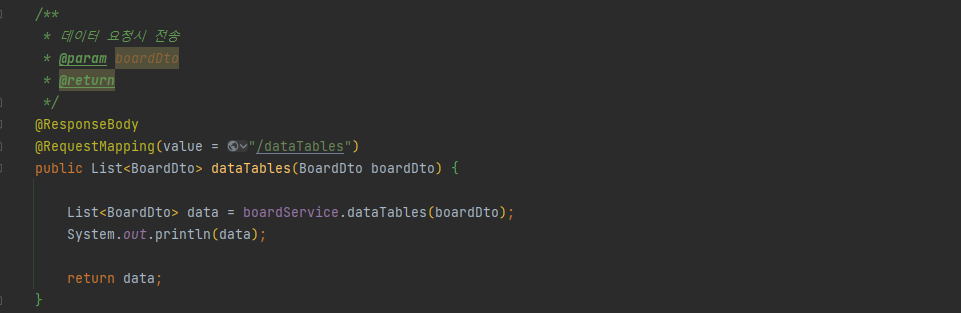
controller
@Controller
public class DataTablesController {

    @Autowired
    BoardService boardService;

    /**
     * 데이터 요청시 전송
     * @param boardDto
     * @return
     */
    @ResponseBody
    @RequestMapping(value = "/dataTablesData")
    public List<BoardDto> dataTables(BoardDto boardDto) {

        List<BoardDto> data = boardService.dataTables(boardDto);
        System.out.println(data);

        return data;
    }

    /**
     * 기본 DataTablesView
     * @return
     */
    @RequestMapping(value = "/dataTables")
    public String test() {

        return  "DataTables/dataTables";
    }
}
아래는 참고사이트
https://stackoverflow.com/questions/34287402/datatables-cannot-read-property-length-of-undefined#
DataTables: Cannot read property 'length' of undefined
I understand this a popular issue, and I have read all the similar questions here on Stack Overflow and other sites (including the datatables website). To clarify, I am using PHP Codeigniter
stackoverflow.com
여기는 DataTables 홈페이지의 option
https://datatables.net/manual/options
Options
Options DataTables' huge range of options can be used to customise the way that it will present its interface, and the features available, to the end user. This is done through its configuration options, which are set at initialisation time. The DataTables
datatables.net
'Library > DataTables' 카테고리의 다른 글
| DataTables select option (multi) (0) | 2021.11.23 |
|---|---|
| DataTables 빈 컬럼 생성 후 체크박스 만들기 (0) | 2021.11.23 |
| DataTables dom, Customizing the default menu (0) | 2021.11.22 |
| DataTables 커스텀 중 코드 (0) | 2021.11.19 |
| DataTables 커스텀 참고용 (0) | 2021.11.19 |
| datatables 기초 (0) | 2021.11.19 |